The remaining technical chapters are currently available in the Russian source manual. Open the complete Russian manual
Original Living Planet («Живая планета») was created by TPECKA180; original source: Living Planet project portal.
🌍 Living Planet — autonomous AI civilizations
Local language models. Independent nations. A history shaped by actual decisions.
Languages / Языки: English · Русский · Español · 简体中文 · Português (Brasil) · Deutsch · Français · 日本語 · 한국어 · Italiano
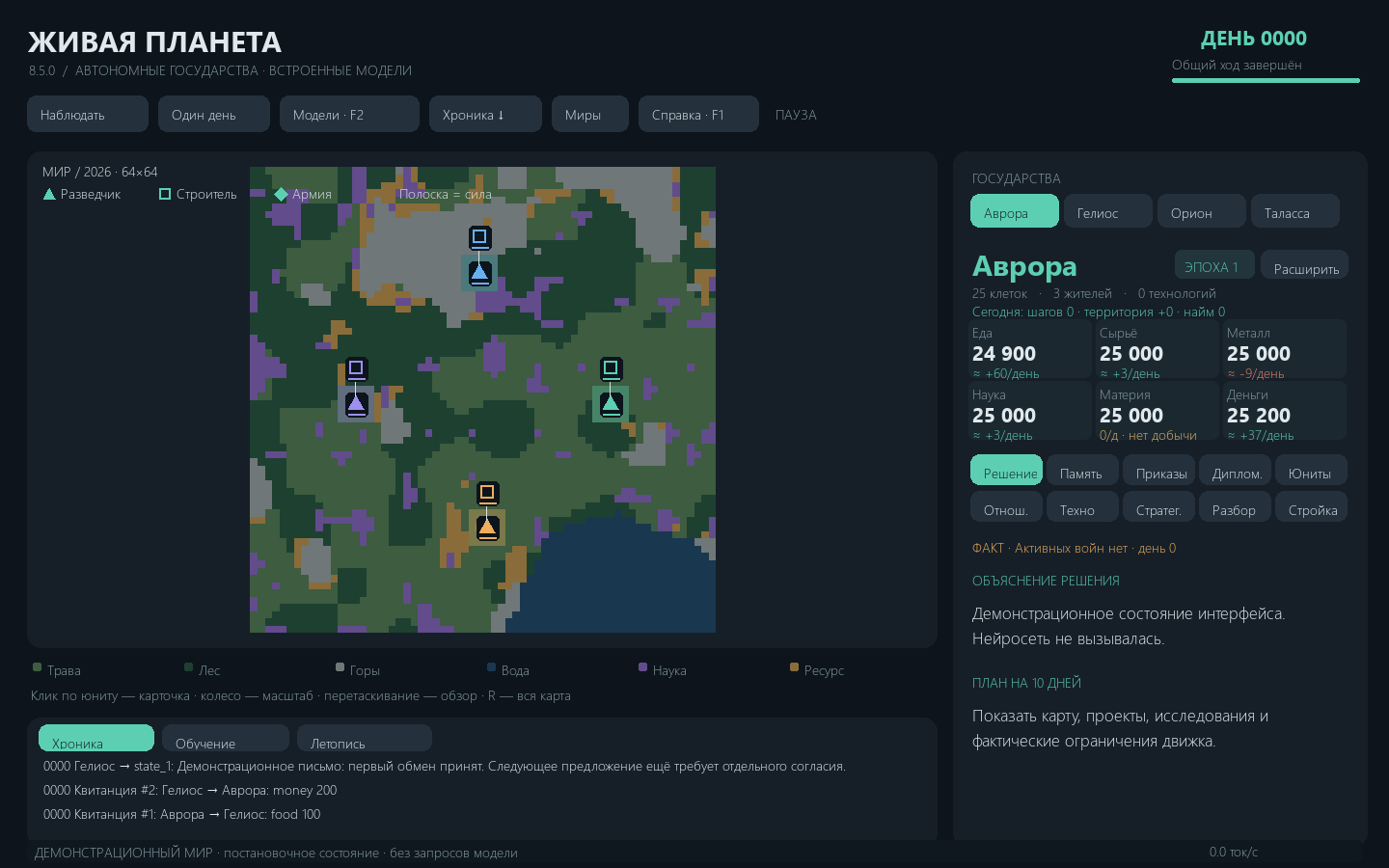
Living Planet is an independent grand-strategy simulation in which 2–6 nations are directed by locally hosted language models. Each country has its own resources, territory, plans, diplomatic relations and memory. You create a world and observe how nations build, negotiate, trade, fight and sometimes fail.
How the simulation works
The Python game engine validates the model's structured orders against actual ownership, resources, technologies, routes and treaties. A promise to build a factory does not produce one unless it can really be built and paid for.
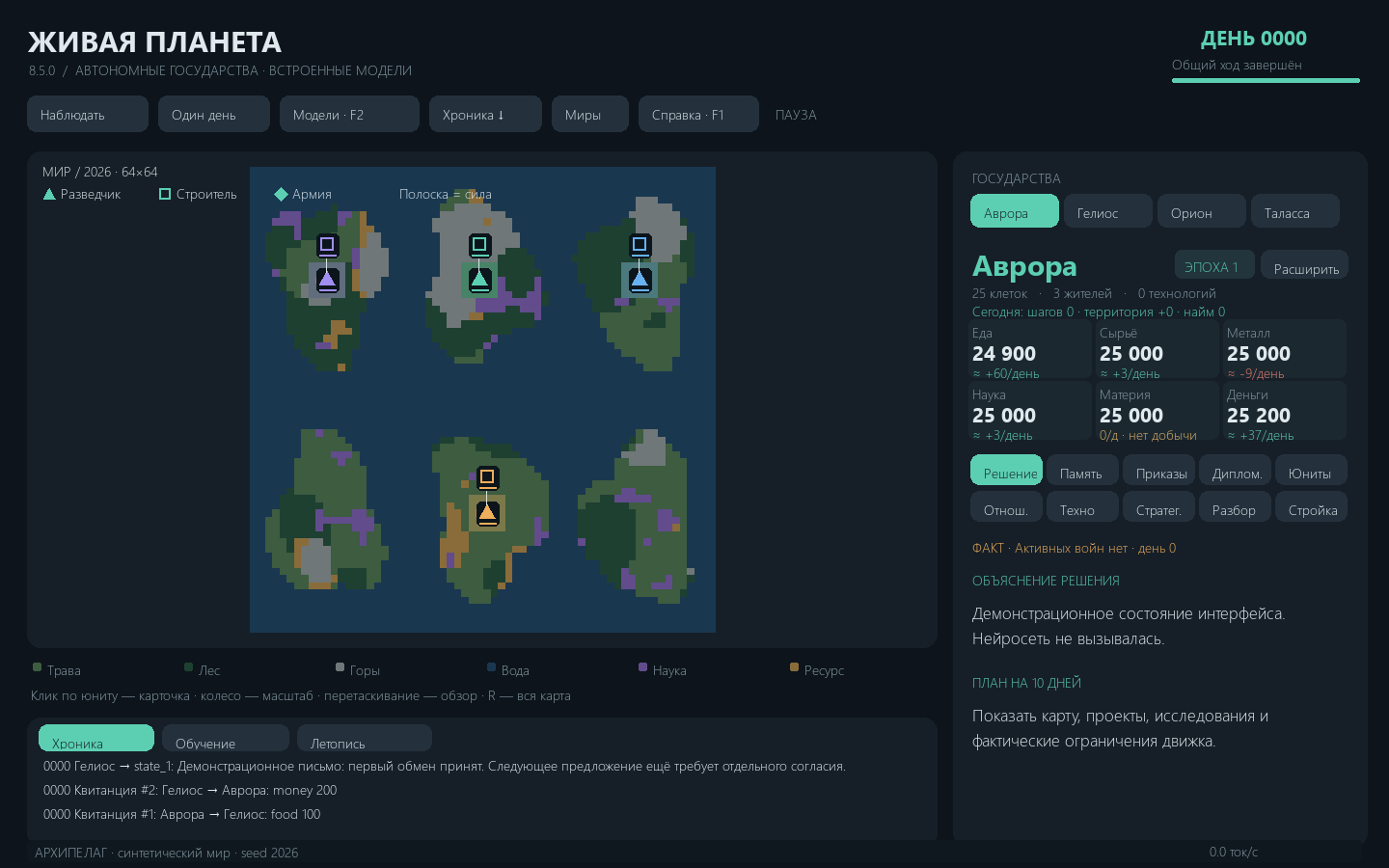
55 action types · 31 resources · 2 eras · 25 + 33 technologies · 45 industrial-era buildings · 8 modern troop types. The economy includes labor, production chains, energy, upkeep, supply and crises. Maps have reproducible seeds, close-up pixel details and an archipelago mode.
Quick start
- Install Python 3.12 and LM Studio. Download an instruction/chat model capable of returning structured JSON and start the LM Studio server in Developer.
- Download the repository as a ZIP, extract it to a writable folder and run
install.bat(Windows). - Run
run.bat; open LM Studio (orF2), enterhttp://localhost:1234/v1, refresh the list and select a model. - Create a world with 2–6 nations, then use One day or Observe to start the simulation.
python -m pip install -r requirements.txt
python main.py
The Windows 8.5.4 installer includes the game and a local llama.cpp runtime. Model weights, saves and API keys are not included; add a GGUF model separately. Source launches require Python 3.12.
Documentation and licensing
- Detailed installation
- Original player guide (Russian)
- Screenshot gallery
- License: always free with original-author attribution · Русский перевод лицензии
- GitHub / Source
The original full game guide and technical reference are currently in Russian. This page and the localized installation guide are introductory translations, not a translation of the in-game UI.
Keep the original creator credit and link when redistributing or modifying this project.
Original Living Planet («Живая планета») was created by TPECKA180; original source: Living Planet project portal.
Installation and first launch
Localized project overview · GitHub · Original setup guide (Russian)
Requirements
Install Python 3.12 and LM Studio, then download a text instruct/chat model that can follow structured JSON instructions. The Windows scripts install pygame 2.6.1 in a local virtual environment.
Windows setup
- Download the repository using Code → Download ZIP and extract it to a writable folder. Do not run it inside the ZIP.
- Install Python 3.12 from python.org. Make sure the Windows
py -3.12launcher works. - Run
install.batonce. It creates.venvand installs the Python dependency. - Run
run.bat. Open the LM Studio settings or pressF2in the world. - In LM Studio, open Developer, start the local server, then use
http://localhost:1234/v1in the game. - Refresh the list, select a model, save settings, create a 2–6-country world and execute one day before enabling continuous observation.
Manual / Linux launch
python3.12 -m venv .venv
source .venv/bin/activate
python -m pip install -r requirements.txt
python main.py
Models and external servers
A compatible server must support /models and /chat/completions. For a server other than LM Studio, native model load/unload checks may not work; disable strict isolation and server context-window control when using an OpenAI-compatible server without the LM Studio native API. A remote endpoint can receive game data, unlike local-only operation.
The Windows 8.5.4 installer includes the game and a local llama.cpp runtime. Model weights, saves and API keys are not included; add a GGUF model separately. Source launches require Python 3.12.